Your team spends hours on RDP configuration, VPN troubleshooting, and per-device installs for one legacy app. WebStream delivers it in the browser — with policies you manage centrally.
Legacy Windows applications create disproportionate support load — especially when every user needs VPN, RDP, or a thick client installed locally.
Fewer engineers know how to troubleshoot RDP gateways, terminal server farms, and legacy client deployments — but ticket volume hasn't dropped.
Remote users can't connect, credentials expire, split-tunnel conflicts break other apps — and every incident routes to your queue.
New starters, contractor laptops, and BYOD devices all need the legacy client installed and configured — a process that doesn't scale.
When something breaks, you're debugging individual user machines instead of managing access from a single control point.
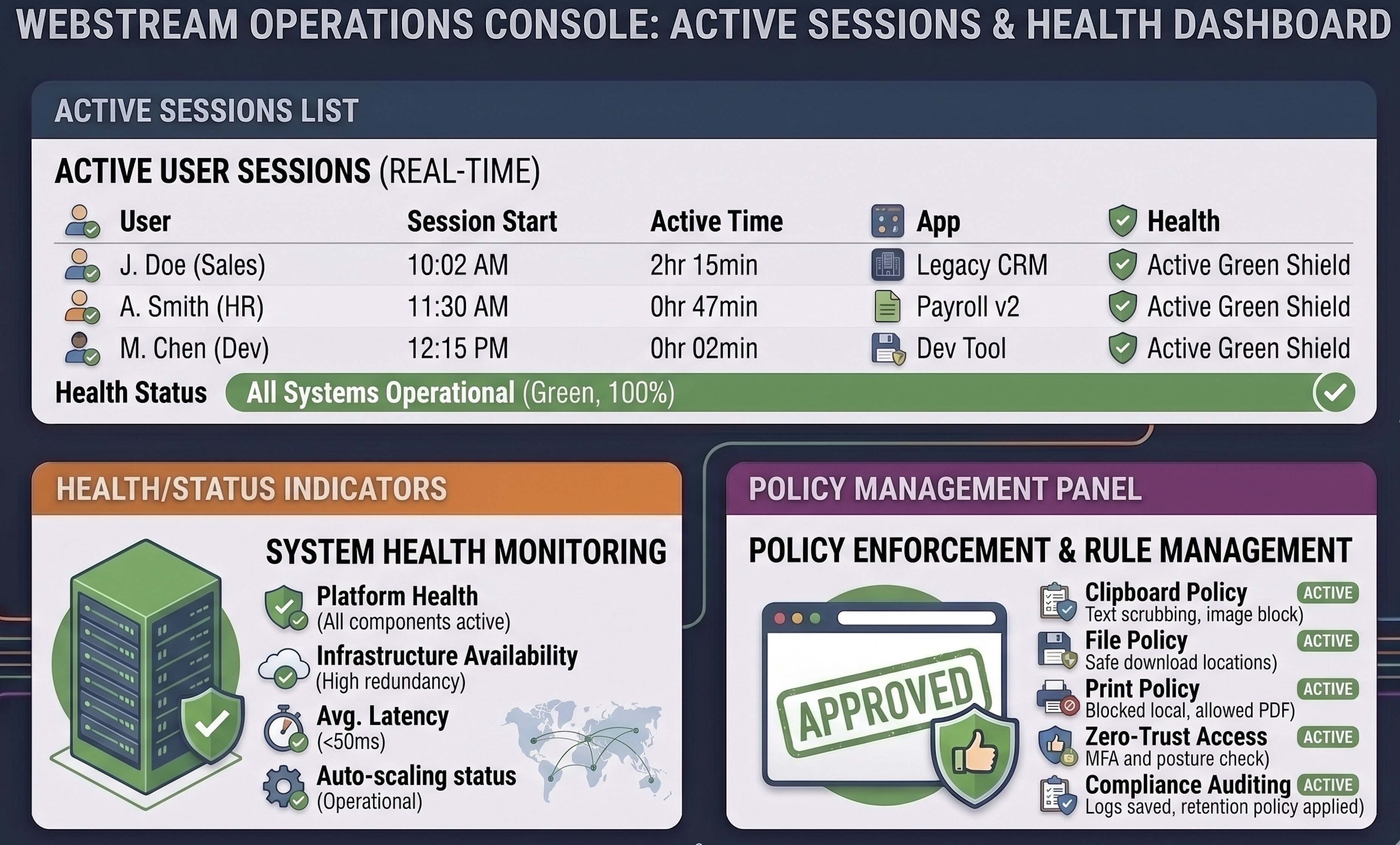
Users open a URL. You manage sessions, policies, and access from the ACP console — no per-device installs.
Any device with a modern browser gets access. Onboarding a new user is an account provision — not a half-day install session.
See active sessions, diagnose user issues from the console, and apply policy changes without touching individual workstations.
Configure file, print, and clipboard rules per application — enforced consistently for every user, every session.
“VPN and RDP tickets for one forms-heavy application were eating a third of our tier-1 capacity. Browser delivery changed that within the first month.”
Ledger, payroll, and practice tools with heavy form workflows — where every remote user historically needed VPN and a local client.
Order entry, inventory, and reporting modules that generate constant "can't connect" and "client won't start" tickets.
Clinic administration and billing systems used across multiple sites — where device consistency and quick onboarding matter daily.
Run a PoC with the application that generates the most support noise — most teams see browser access working within days.
Schedule a PoC